Technical Overview
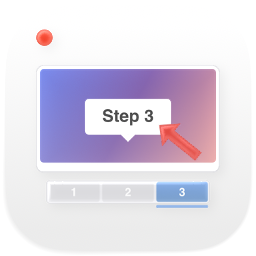
StepGrab is a native desktop application for macOS and Windows that captures a screenshot at every click to automatically generate annotated step-by-step guides and standard operating procedures (SOPs). Designed for technical and support teams needing rapid workflow documentation, it stores captures locally without requiring a cloud account and exports guides to PDF, HTML, Markdown, GIF, and MP4.
Analyst Evaluation: Pros and Limitations
Verified Advantages
- Automatic screenshot capture on every mouse click event.
- Fully offline operation with local data storage.
- Multiple export formats including PDF, HTML, Markdown, and GIF.
Technical Considerations
- Limited to a maximum of 15 steps per guide on the free tier.
- Lacks real-time collaboration or cloud synchronization features.
Technical Capabilities & Features
1/7ScorecardShow detailsHide details
Technical Scorecard: StepGrab
Time to Value & Fit by Segment: StepGrab
Near-instantaneous deployment with minimal technical friction.
Rapid onboarding for developers without prior training required.
Fit Index by Organization Size
Pricing & TCOShow detailsHide details
Pricing
Model: FREE.
Available plans:
- Free$0/mo
Free Tier Verification:
- No credit card required
- Commercial use allowed
- Unlimited usage with no expiration
- Includes watermark on free tier
Billing Risks & Hidden Clauses: StepGrab
Guías ilimitadas con un máximo de 15 pasos por guía, exportación a GIF con marca de agua y sin necesidad de crear cuenta.
- La versión gratuita incluye una marca de agua en las exportaciones y un límite estricto de 15 pasos por guía.
Total Cost of Ownership (TCO) Projection: StepGrab$0.00/moDeterministic cost estimation at 12 and 36 months based on team size, including SSO tax premiums and annual prepay discounts.Show detailsHide details
Usage Surcharges & Bill Shock Simulator: StepGrabWhat usage costs as you scaleDetect overage penalties before they impact engineering budget.Show detailsHide details
Security & Data ExitShow detailsHide details
Compliance & Security Standards: StepGrab
Data Liberation & Migration Runbook: StepGrabPDF · HTML · MARKDOWNActionable escape runbook and credential export guarantees to mitigate vendor lock-in.Show detailsHide details
Deployment & Infrastructure Requirements: StepGrabDockerHardware specs and Docker directives to run on local servers, dedicated VPS, or Kubernetes without telemetry leak to the cloud.Show detailsHide details
Community & RepositoryShow detailsHide details
Technical Reputation of StepGrab
Frequent Praises in Production
- Automatic screenshot capture on every mouse click event.
- Fully offline operation with local data storage.
- Multiple export formats including PDF, HTML, Markdown, and GIF.
Reported Production Frictions
- Limited to a maximum of 15 steps per guide on the free tier.
- Lacks real-time collaboration or cloud synchronization features.
Frequently Asked Technical Questions (StepGrab)
Does StepGrab work without an internet connection?
Yes, screen capture and guide creation operate completely offline, storing data locally on your computer without requiring a user account.
What export formats does the application support?
It allows exporting generated guides into standard industry formats such as PDF, HTML, Markdown, GIF sequences, and MP4 video files.
What are the limitations of the free tier?
The free edition allows creating unlimited guides with a maximum of 15 steps per guide and GIF exports including a watermark.
Which operating systems are supported?
It is available as a native application for macOS (version 14 or later, compatible with Apple Silicon and Intel) and for Windows 10 and newer.
Direct Alternatives
Embed Verification BadgeOfficial BadgeShow detailsHide details